
Our connector lets you choose the default product combination for your exported PrestaShop products. Here’s how:
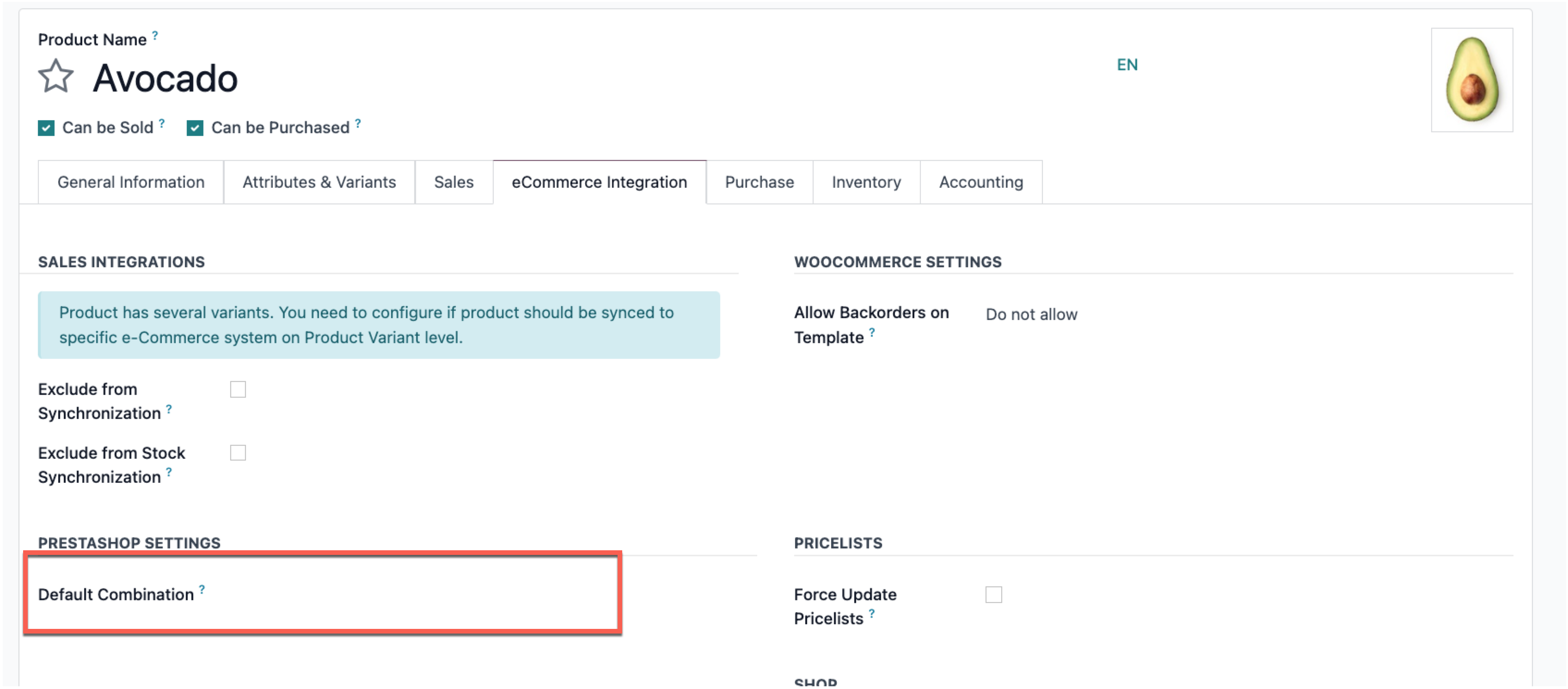
Navigate to the “eCommerce Integration” tab on product template you want to change.
Select product variant (combination) you want to use as default combination in PrestaShop:
Need More Help?
Watch our setup video
Contact support
If you still have questions, please contact our support team: https://support.ventor.tech/