
When you export an invoice or a bill to QuickBooks Online, the export job may fail with this error:
QBO process request: 6270, Transaction date is prior to start date for stock item. Transactions with stock products cant be dated earlier than the Stock Start Date for the product.
You can see it in QuickBooks Online → Jobs, on the failed export job.
Why it happens
In QuickBooks Online, every inventory (stock) product has a start date: the date from which QuickBooks tracks its quantity. A storable product exported from Odoo gets its start date when it is created in QuickBooks Online.
If the invoice or bill is dated before that start date – for example, an older invoice with a product that was exported only today – QuickBooks Online has no stock for the product on the invoice date and rejects the document.
How to fix it
Option 1: Move the product’s start date in QuickBooks Online
Use this if you track inventory in QuickBooks Online.
-
In QuickBooks Online, open Products and services and edit the product from the error.
-
Set its As of date (the inventory start date) to a date on or before the invoice date, and save.
-
In Odoo, export the invoice or bill again.
Option 2: Export storable products as non-inventory items
Use this if you don’t need to track inventory in QuickBooks Online. Non-inventory products have no start date, so the error doesn’t occur.
-
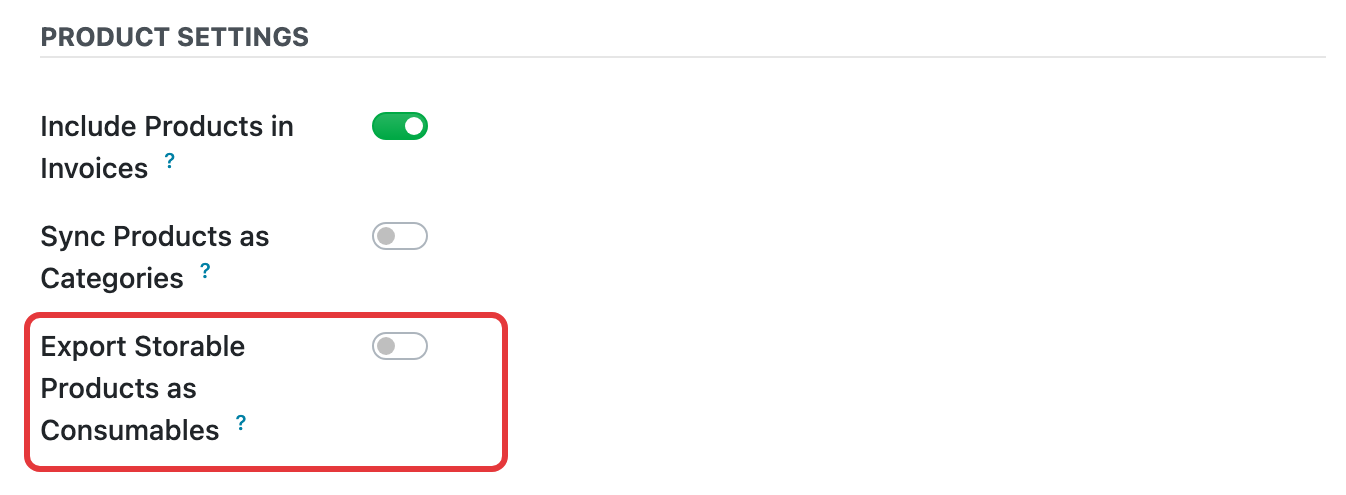
Open QuickBooks Online → Connections, open your connection, and on the Invoices & Bills tab turn on Export Storable Products as Consumables under Product Settings.
-
If the product already exists in QuickBooks Online as an inventory item, delete it there (in QuickBooks Online, products are deleted by making them inactive).
-
Export the invoice or bill again.
This option applies to all storable products exported to QuickBooks Online from this connection, not only to the product from the error.
See also: How to synchronize products between QuickBooks Online and Odoo · Configuration of the QuickBooks Online Connector