
This error usually appears when the WooCommerce API key used by the connector does not have sufficient permissions.
To resolve the issue, you need to update the API key permissions in WooCommerce.
Steps to Fix the Error
-
Open your WooCommerce admin panel
-
Navigate to:
WooCommerce → Settings → Advanced → REST API
-
Open the API key used by the connector
-
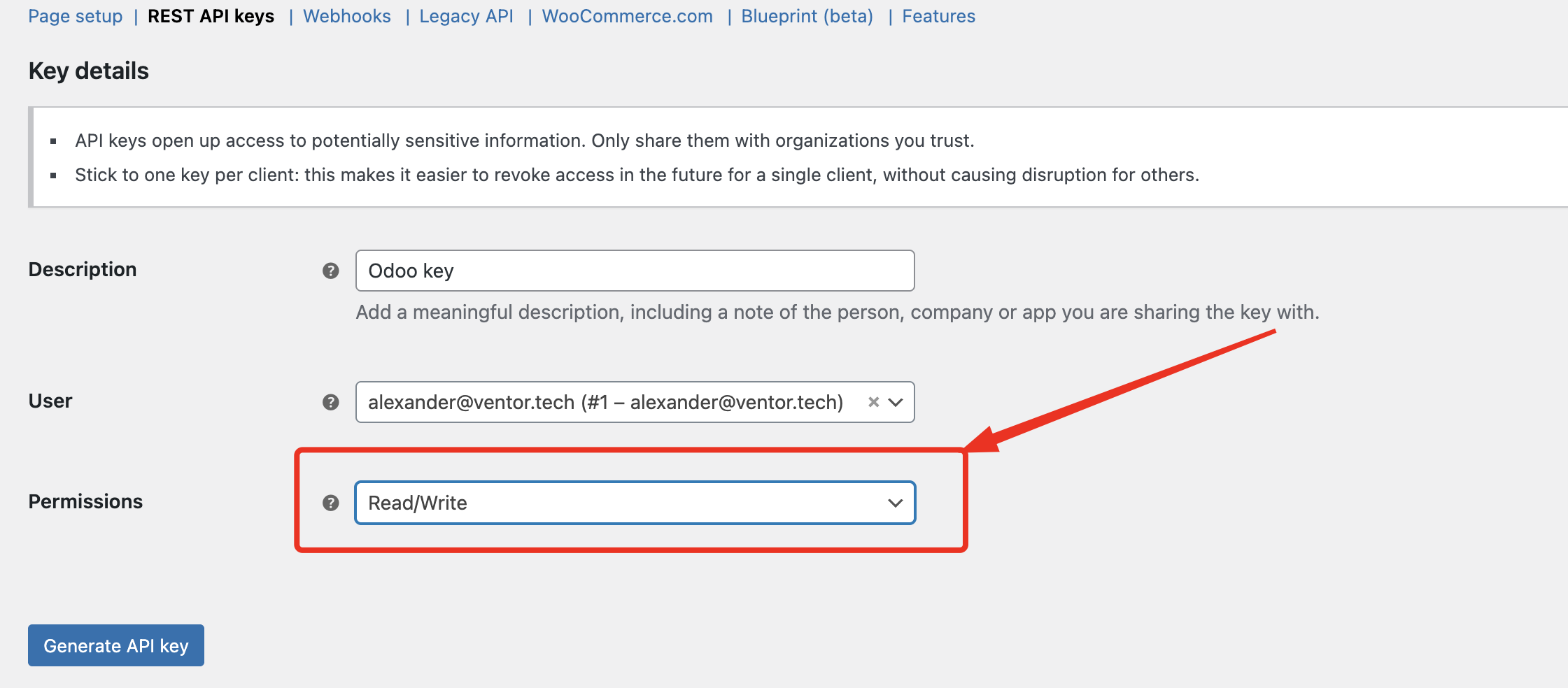
In the Permissions field, select:
Read/Write
-
Save the changes
After updating the permissions, try reconnecting or running synchronization again.
What’s next?
See also these articles: