

If you’ve purchased a module from VentorTech, updating to the latest version ensures compatibility with new Odoo versions and gives you access to bug fixes and feature enhancements.
This article explains:
-
Where to find the latest module versions (Ecosystem portal or Odoo Apps)
-
How to apply the update in different environments (Odoo.sh or on-premise)
-
Available support options
Where to Find the Latest Module Version?
VentorTech modules can be purchased through:
-
Ecosystem Portal – subscription or one-time purchase
-
Odoo Apps Store – Odoo’s official marketplace
For details on differences between both platforms, see: https://ecosystem.ventor.tech/ventortech-ecosystem-benefits/
Option 1: If You Purchased via the Ecosystem Portal
You can download the latest version directly from your account dashboard.
Git updates for subscribers
If you are an Ecosystem subscriber, we can push updates directly to your Git repository.
To enable this:
-
Grant write access to
ventor-ecosystemuser -
Contact us with your order number (or account email) and the Git repo link
Updates will appear in a special ventor-tech-products branch.
Option 2: If You Purchased via Odoo Apps
-
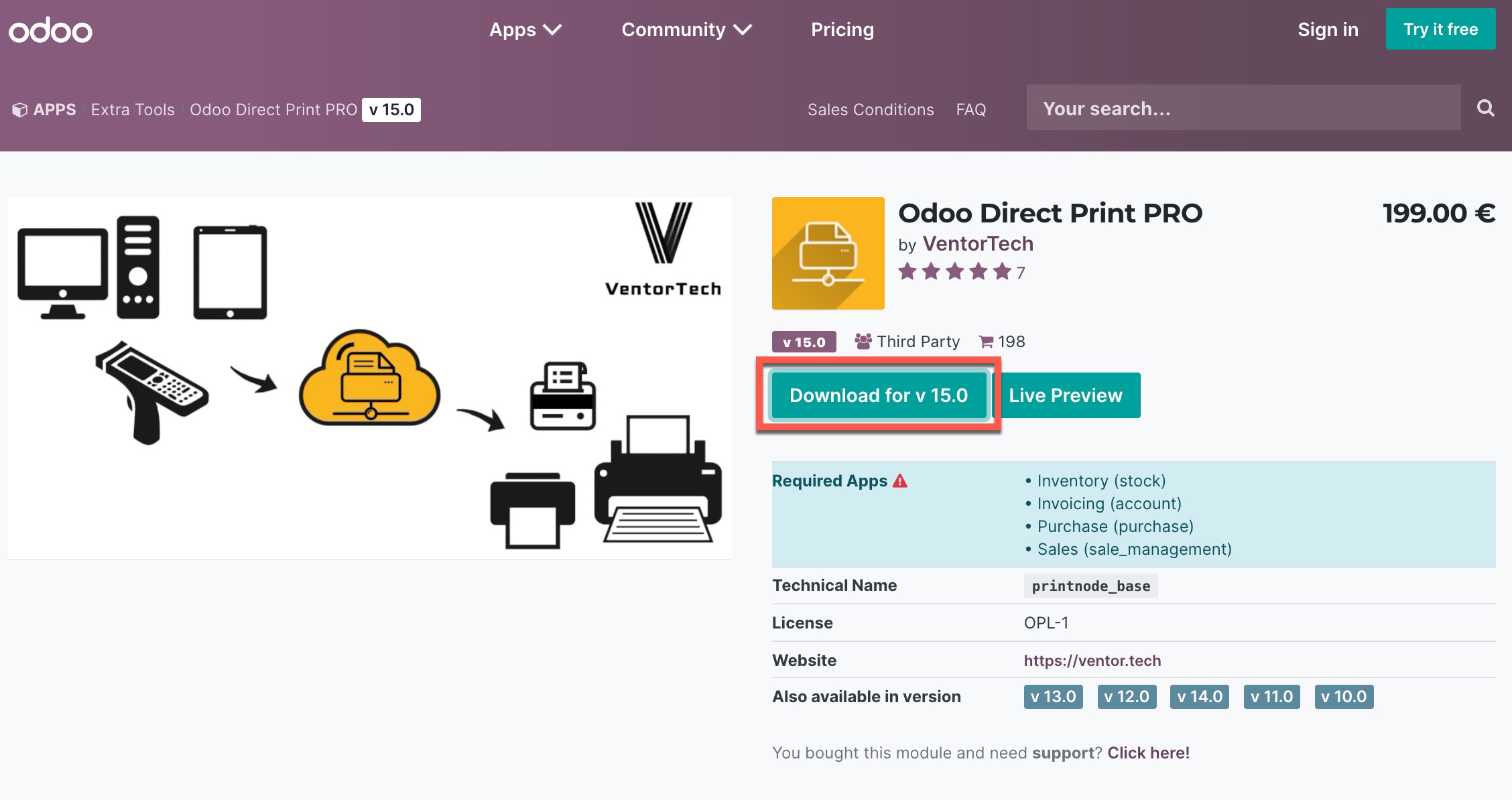
Go to the Odoo Apps Store
-
Log in with the account used for purchase
-
Open the module’s page and choose the Odoo version
-
Click Download
How to Apply Module Updates
Once you’ve downloaded or received the latest version, how you apply the update depends on your Odoo environment.
Scenario 1: You’re Using Odoo.sh
Case A: You’re a Subscriber and We Push Updates
You’ll find the latest version in the ventor-tech-products branch of your Git repository.
How to update:
-
Merge this branch into your staging branch first.
-
Verify everything works as expected.
-
If stable, merge to production.
Tip: This approach ensures a safe rollout of changes and minimizes downtime.
Case B: We Don’t Push Updates for You
-
Download the latest version (from Ecosystem or Odoo Apps).
-
Add or replace the module code in your Git repository.
-
Commit and push changes to your desired branch.
Odoo.sh will automatically rebuild the branch where the update was committed.
Scenario 2: You’re Using an On-Premise Odoo Installation
On-premise updates depend entirely on your server environment (Docker, custom deployment, etc.).
You’ll need to manually:
-
Replace the module folder with the new version
-
Restart the Odoo server
-
Upgrade the module via Apps menu or Odoo shell
Recommendation: If you’re unsure, ask your Odoo partner or system administrator to help you apply the updates correctly.
Scenario 3: Let VentorTech Handle It
We offer professional services to update modules on your behalf.
-
Typical cost: €280 – €560 EUR
-
Based on estimated time: 4–8 business hours
-
Varies depending on your server and configuration complexity
Just contact our support team with:
-
Your order number or email
-
Details of your Odoo version and hosting environment
We’ll evaluate and provide a custom quote.
Related articles
Need Help?
We’re here to help — from module setup to full update deployments. Contact the VentorTech Support Team for fast, reliable assistance.
