This feature is for US accounting only.
QuickBooks Online can automatically work out which sales taxes apply to an order, based on the customer’s delivery address. With the Odoo QuickBooks Online Connector you can use this calculation for Sales Orders in Odoo, so they have the correct taxes before you invoice them.
How to get the taxes
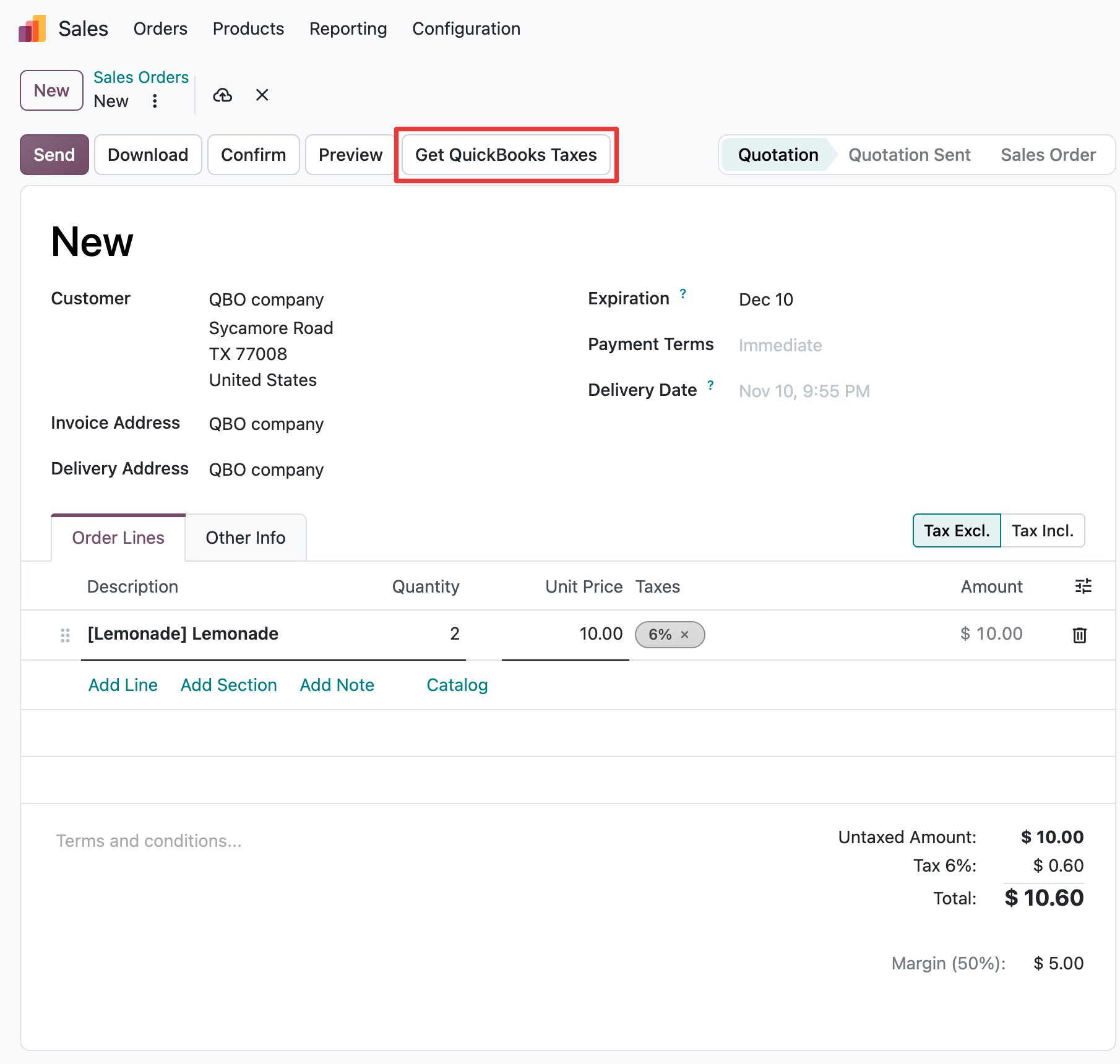
Create a new quotation: choose the customer (check their delivery address), add the products, and set the quantity and price.
Click Get QuickBooks Taxes. You don’t need to save the order first.
The connector sends the order to QuickBooks Online and gets the taxes back. They are set on each order line, and the totals are recalculated.
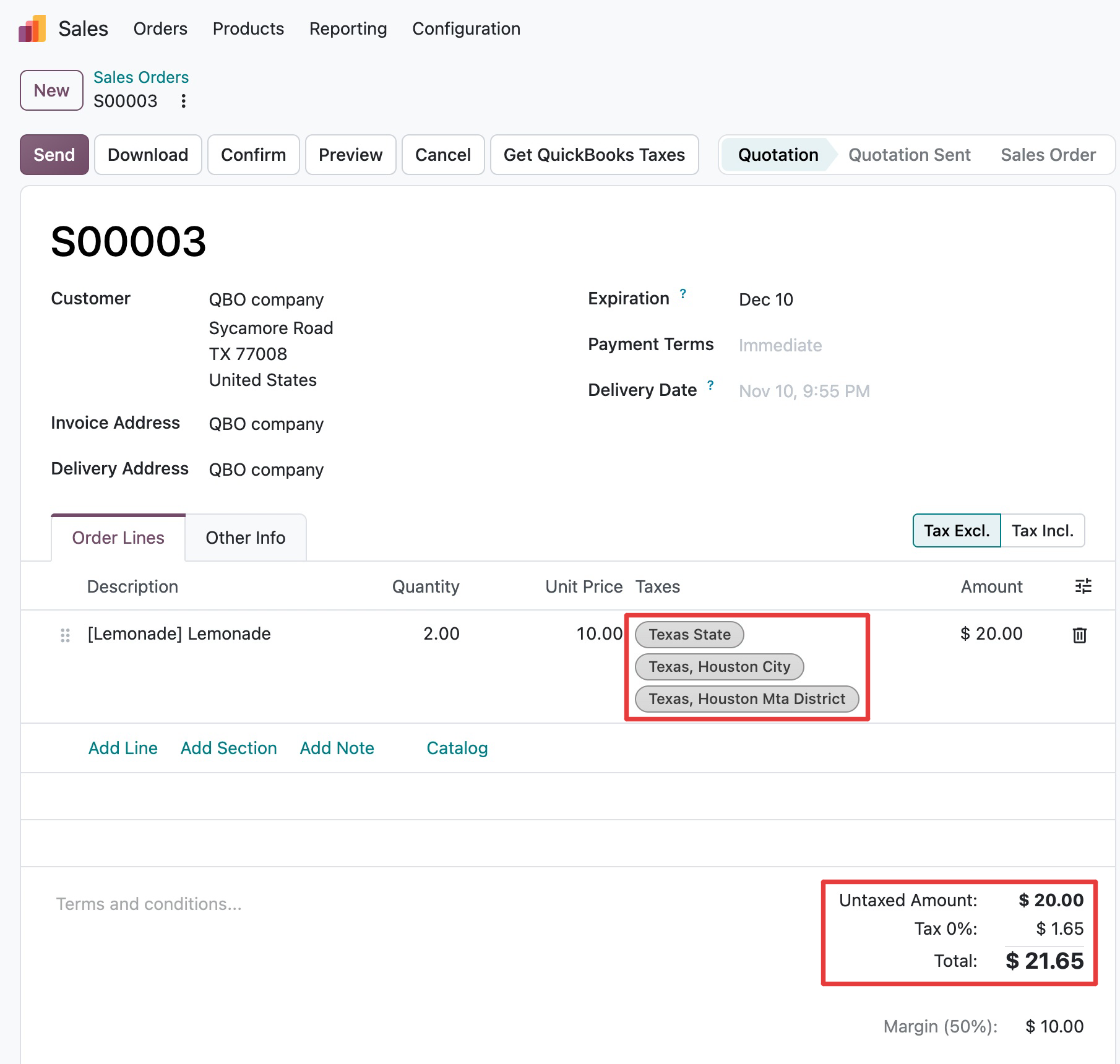
Confirm the order and invoice it as usual. No manual tax adjustments are needed.
Video
More videos: Odoo QuickBooks Online Connector on YouTube